
Why Remote Work Soft-Talk Causes Vocal Strain and Digital Fatigue
If you spend a significant portion of your workweek talking into webcams, wearing headsets, or presenting across video calls, you have likely noticed a subtle, frustrating phenomenon by the end of the day: your throat feels dry, your voice sounds thin or raspier than usual, and talking feels like an absolute chore.
Most people attribute video call exhaustion to screen light or back-to-back schedules. However, speech pathologists and vocal scientists point to a very different culprit: digital vocal strain. The way we use our voices on digital platforms is fundamentally different from how we speak in person, creating a hidden physiological trap that exhausts your vocal folds far faster than a typical conversation.
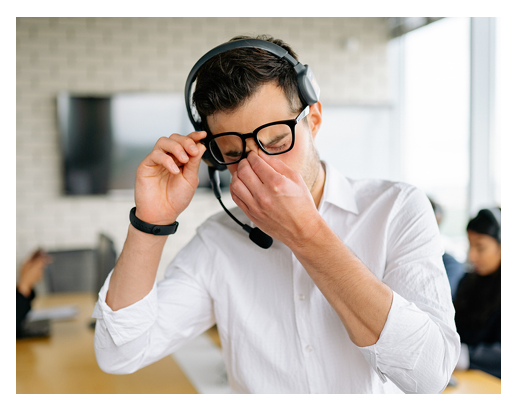
Here is what is actually happening behind your microphone, why your brain is tricking your voice, and how a few simple acoustic adjustments can save your throat.
The Acoustic Trap How Headsets Trick Your Brain
When you speak to someone in the same room, your brain relies on two acoustic pathways to monitor your own voice: air conduction (sound traveling from your mouth through the air into your ears) and bone conduction (vibrations traveling through your skull directly to your inner ear). This natural feedback loop tells your nervous system precisely how much breath pressure and laryngeal effort you need to project clearly without straining.
Digital communication completely disrupts this internal feedback loop.
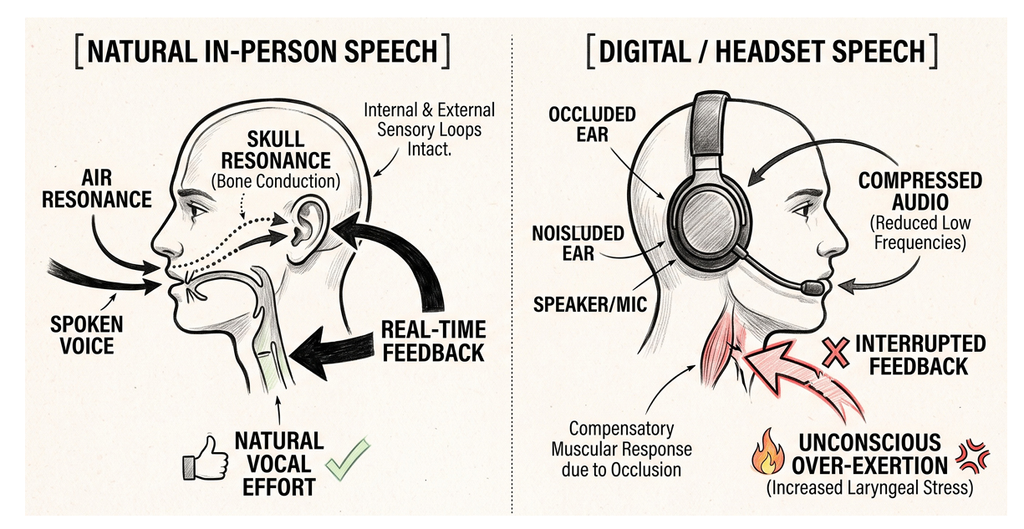
When you wear headphones, especially noise-canceling earbuds you block natural air conduction. Simultaneously, digital audio compression strips away the rich, low-frequency acoustic cues of your voice.
Your brain senses that your voice sounds “thin” or “far away” through the speakers. To compensate, your nervous system automatically engages a physiological response known as the Lombard effect. Even though you think you are speaking quietly in your room, your brain subconsciously forces your vocal folds to press together with greater muscular force to overcome the perceived audio barrier. You end up over-exerting your larynx for hours without even realizing it.
Muscle Tension Dysphonia The “Bedroom Whisper” Myth
Many remote workers assume that because they aren’t yelling across a boardroom, their vocal cords are safe. Ironically, “soft-talking” or using a low, un-supported “bedroom whisper” to avoid disturbing housemates can cause more muscular tension than projection.
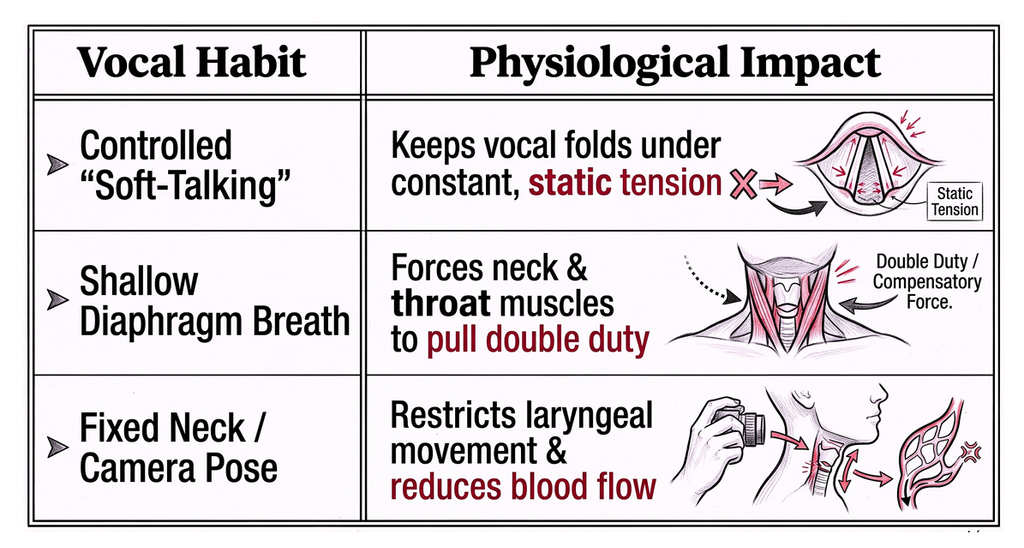
When you speak quietly without proper diaphragmatic support, your vocal folds do not vibrate freely. Instead, the surrounding extrinsic laryngeal muscles contract to squeeze the voice out. Hours of this static tension lead to a condition known as muscle tension dysphonia the primary driver behind that tight, aching sensation in your neck after a long day of meetings.
The Executive Vocal Reset 3 Quick Adjustments for Remote Calls
You do not need to quit video calls or undergo hours of speech therapy to protect your voice. Implementing a few subtle adjustments to your daily routine can dramatically relieve physical tension and restore your natural resonance.
1. Remove One Earbud (The Half-Open Loop)
If you must use headphones, keep one ear free. Uncovering one ear instantly restores your brain’s natural air conduction feedback loop. Your nervous system will automatically adjust your vocal output, preventing you from pushing extra breath pressure through your vocal folds.
2. Anchor Your Breath Before Clicking “Join”
Before jumping onto a call, take two seconds to let your belly expand on an inhale. When you slouch toward a laptop screen, your chest collapses, forcing your throat muscles to do all the heavy lifting. Breathing low into your lower ribs allows your diaphragm to power your voice, taking the pressure entirely off your throat.
3. Practice Low-Pitch Pitch-Matching Post-Call
After a heavy morning of calls, reset your vocal fold length with a soft, gentle hum. Drop your jaw, keep your lips loosely closed, and glide gently from a comfortable middle pitch down to a low, warm tone. This light vibrational humming relaxes the laryngeal muscles, stimulates the vagus nerve, and clears built-up muscular tension.
Protecting Your Voice for the Long Haul
Your voice is one of your most vital professional tools, yet it is often the first thing sacrificed to digital fatigue. By understanding how digital audio alters your natural vocal mechanics, you can take control of your pitch, posture, and breath before strain sets in.

Small adjustments to your daily call habits will not only keep your throat feeling fresh, but will also give your speaking voice a far more grounded, confident, and effortless tone across every screen.